

Guided tour
Explore a live demo
Seven short steps, each with a button that takes you to that exact spot in the demo. No account needed, and you cannot break anything.
What do you organise?
Nothing is saved in the demo and no email is ever sent. Try whatever you like.
-
Step 1 of 7
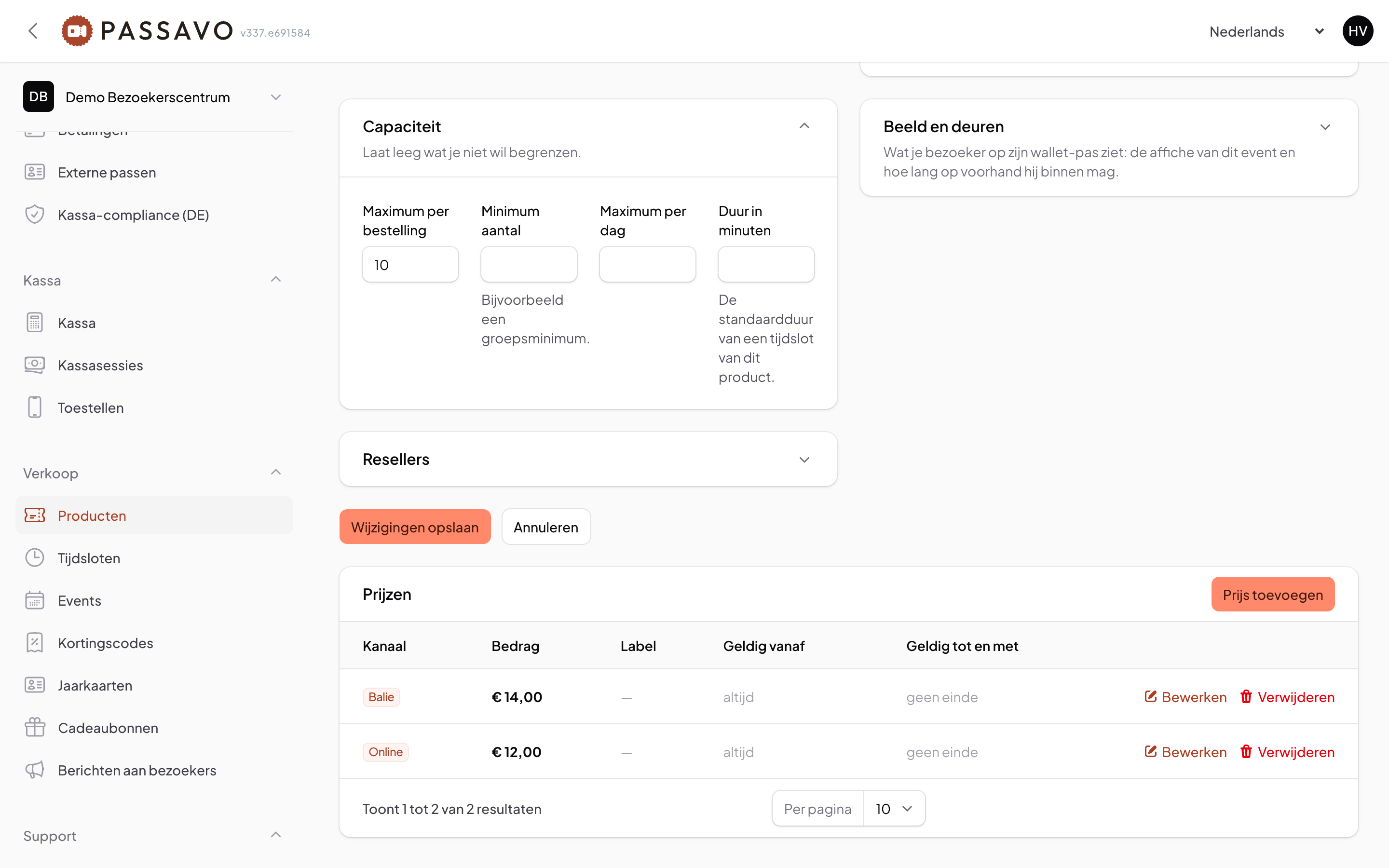
Set up your event
A name, a price and the number of places. You fill in one form and your ticket shop is ready.
-
Step 2 of 7
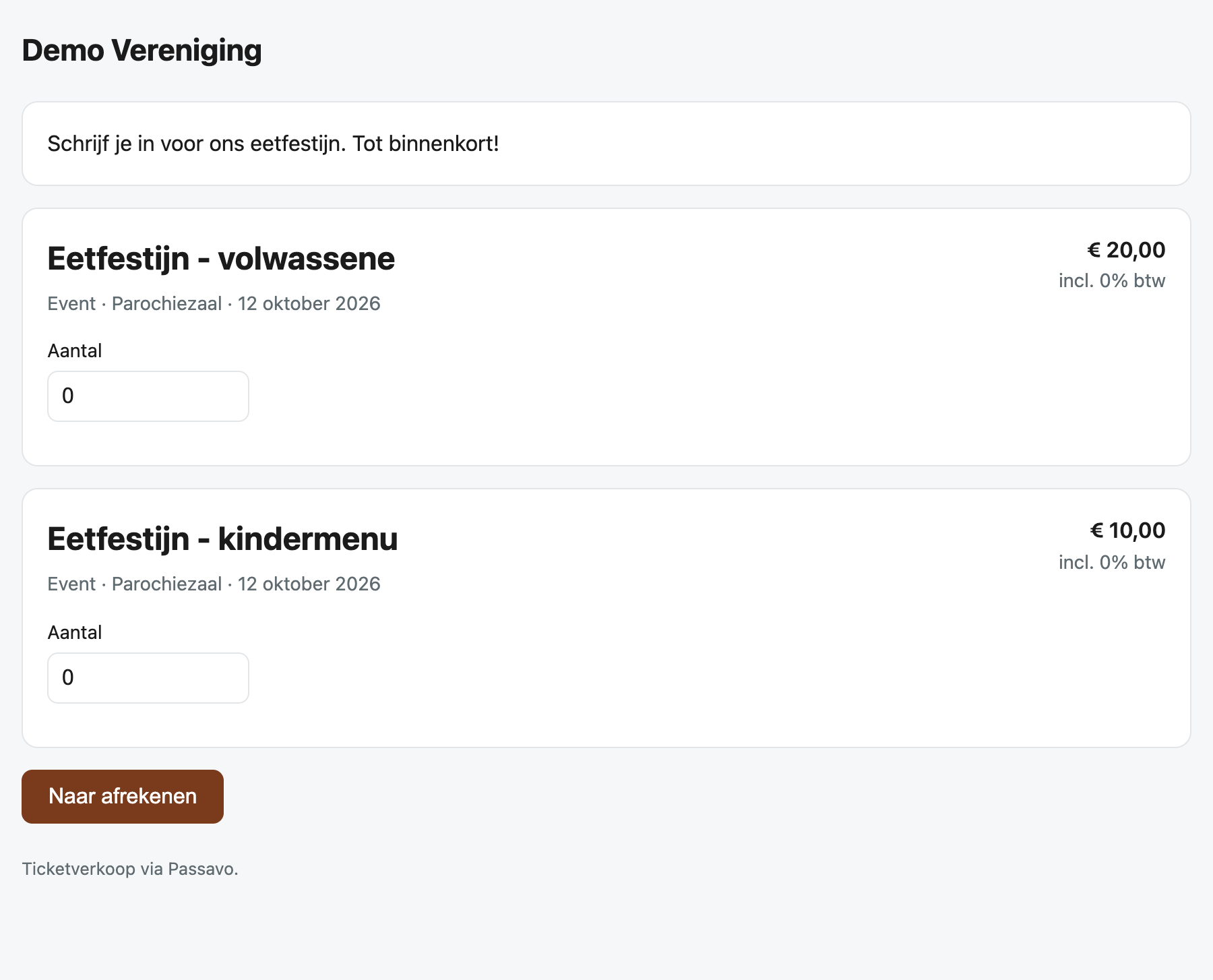
Your web shop
This is what your visitor sees: your colours, their language, on their phone.
-
Step 3 of 7
How your visitor books a ticket
They pick a time slot, pay, and the ticket is on their phone straight away: in the email and in Apple or Google Wallet.
Or put a sample ticket in your wallet right away:
-
Step 4 of 7
Scanning at the entrance
A free app on an ordinary phone. Green means in, red means not valid, and it works without internet too.
The scan app:

-
Step 5 of 7
The till
At the desk or at the bar you sell with big tiles: tap, pay, next.
-
Step 6 of 7
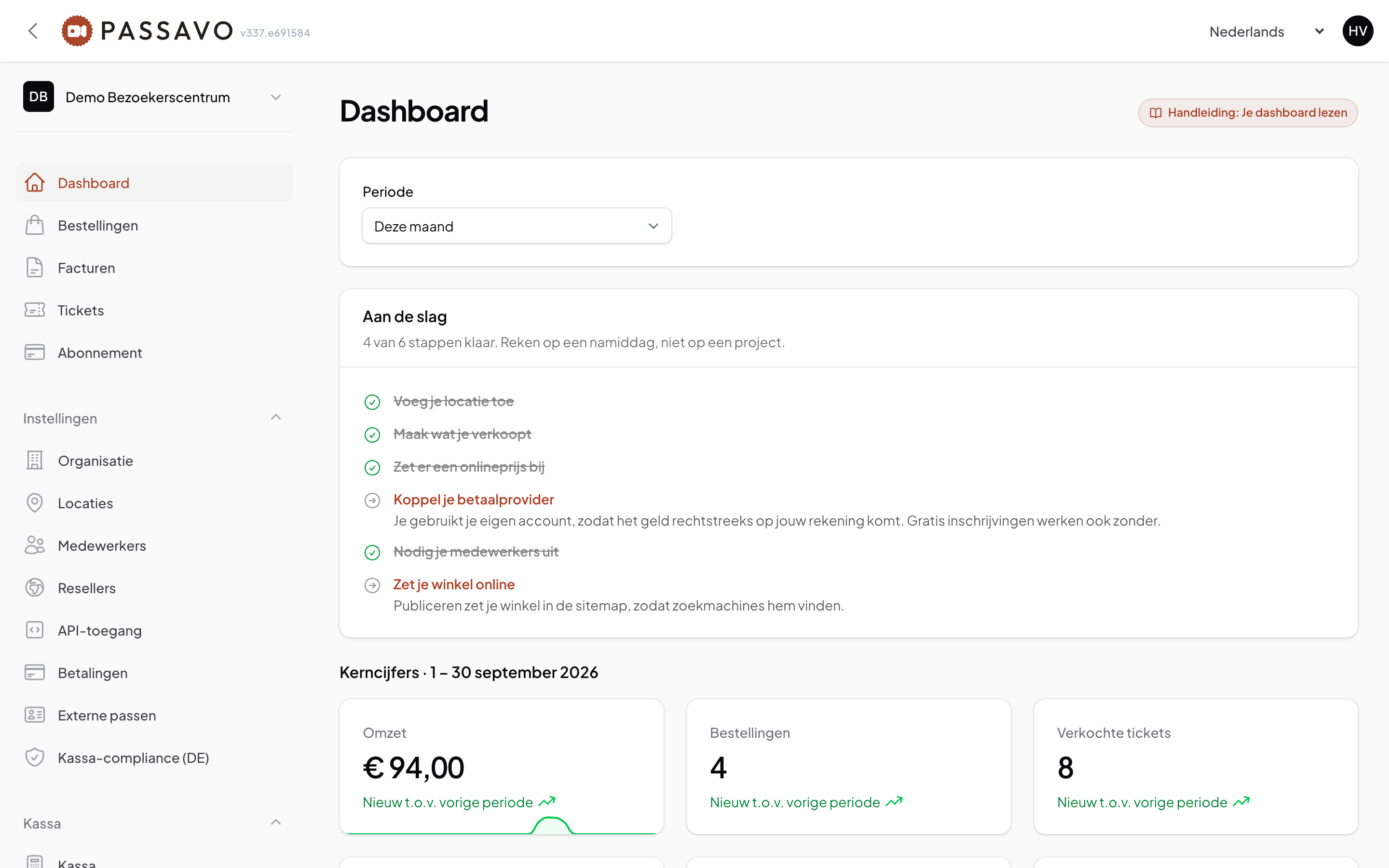
Your figures
What you sold, who is coming today and how full your next time slots are, on one screen.
-
Step 7 of 7
What it costs
A fixed amount per month and nothing per ticket. You start for free, without a card.
Ready to start yourself?
Your own account is ready in a few minutes. Free, no card needed.
-




Ready to start yourself?
Your own account is ready in a few minutes. Free, no card needed.